Apps
App pricing

What each app costs

Three apps, one account. Real prices, no hidden add-ons — buy from this page and it unlocks straight away.

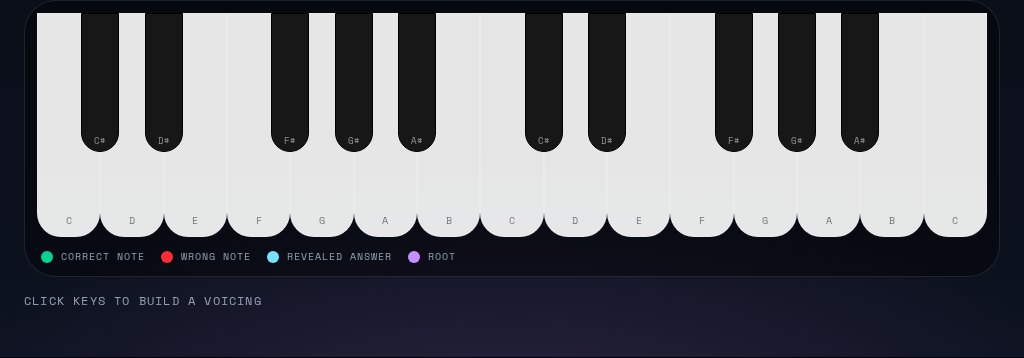
ChordCraft LabSongwriting & theoryChordCraft's playable keyboard with note labels and the correct, wrong, revealed and root note colours

The ChordCraft app itself: Chord Finder names what you just played — chord, inversion, slash bass and the scales it fits — with the playable keyboard, Chord Detective and ear training. All eight Pro Lab modules come with it.

Billed monthly, cancel anytime. A free ChordCraft tier is always available.

  • The ChordCraft app — the reason to subscribe
  • Chord Finder: chord, inversion, slash bass and matching scales
  • Playable keyboard, 2 to 88 keys, with live note highlighting
  • Chord Detective, ear-training path and focus mode
  • All eight Pro Lab modules with videos and printable workbooks
  • Simplex Plus included while Pro is active
  • Taste it first — Lab Module 01 (ear training) is a real free sample, open to every member

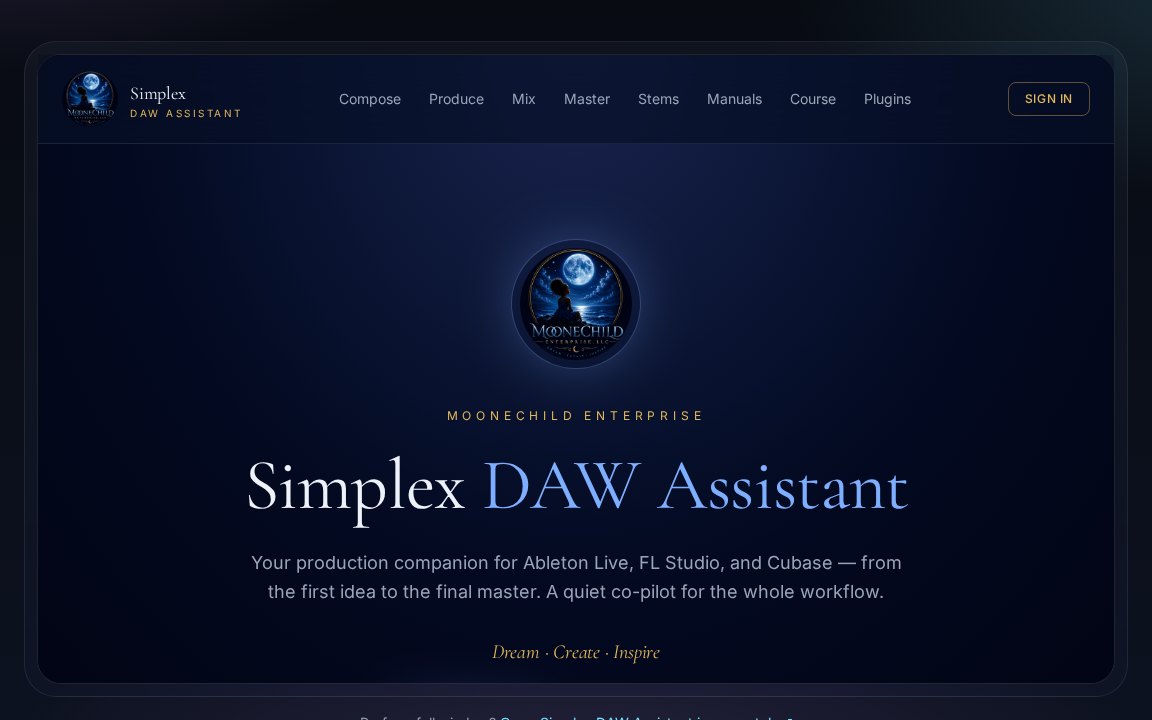
SimplexDAW AssistantThe Simplex DAW Assistant home screen with Compose, Produce, Mix, Master and Stems sections

A production companion beside Ableton Live, FL Studio and Cubase: clean session templates, then step-by-step help through arrangement, mixing and mastering.

Pay once and keep it — or get it free with any ChordCraft Pro membership.

  • Session templates and routing scaffolds for all three DAWs
  • Arrangement, sound design and layering guidance
  • Mixing help: gain staging, EQ, compression, sidechain
  • Mastering for Spotify, Apple Music and the rest
  • Stem separation, export and sessions saved to your account
  • ChordCraft Lab modules 01–03 included — ear training, the vault and workshops, each with its video, workbook and quiz
MooneChild MembersLibrary & account

Your library, courses, certificates, invoices and billing — everything you own, in one account.

Free

Included with every purchase. Create an account and your library appears there.

  • All your courses and lessons in one place
  • Progress, badges and certificates
  • Invoices, receipts and refund requests
  • Renewal date and automatic renewal control

Side by side

FeatureChordCraft ProSimplex PlusMembers
Price$7 / month$19 one-timeFree
Chord Finder & playable keyboard
Pro Lab lessonsModules 01–03Module 01
DAW templates, mixing & mastering guidance
Saved sessions & progress
Certificates & badges
Invoices & billing control
Cancel anytimeNothing to cancelNothing to cancel

Pricing FAQ

Quick answers on billing, cancellations, access and what lands in your account after checkout. Deeper questions live in the full pricing FAQ.

Billing & payments

How am I billed for ChordCraft Pro?

ChordCraft Pro is $7 a month, charged to your card through Stripe on the same date each month. There is no contract and no minimum term — you can cancel whenever you like, and a free ChordCraft tier always exists if you'd rather not subscribe at all.

Is Simplex Plus a subscription too?

No. Simplex Plus is a $19 one-time purchase. You pay once, it never expires, and there is nothing to renew or cancel later.

What will I actually see on my card statement?

The charge appears as MooneChild Enterprise. Prices are listed in USD; at checkout Stripe converts to your local currency at the current exchange rate and adds any applicable taxes based on your location. Your card details never touch our servers.

Can I manage my card, invoices and renewal date?

Yes. The Members portal's Billing page opens a secure Stripe billing portal where you can update your payment method, download invoices and receipts, and turn automatic renewal off. You'll also get a renewal reminder email before each monthly charge, so nothing renews by surprise.

Cancellations & refunds

How do I cancel ChordCraft Pro?

Open the Members portal, go to Billing, and turn off automatic renewal — it takes a couple of taps and no email or phone call is needed. You keep full Pro access until the end of the month you've already paid for, and you won't be charged again.

What happens to my work if I cancel?

Nothing is deleted. Your account, course progress, saved sessions and certificates stay put — you simply drop back to the free tier. If you resubscribe later, everything picks up exactly where you left off. A Simplex Plus purchase keeps working forever, cancelled subscription or not.

Can I get a refund?

Refunds are covered by the refund policy: subscriptions can be cancelled at any time so you're never charged again, and one-time purchases and courses are eligible within the terms described there. Requests are made from the Members portal or by emailing support, and approved refunds go back to your original payment method.

Access & accounts

Do I need an account before I buy?

ChordCraft Pro asks you to sign in at checkout so the membership attaches straight to your account. Simplex Plus can be bought without one — if you create a free account afterwards with the same email, the purchase appears in your library automatically.

Which devices can I use it on?

Anything with a modern browser — desktop, laptop, tablet or phone. Sign in with the same MooneChild account on each device and your progress, saved sessions and purchases are all in sync.

Do I need both apps?

No. Simplex Plus is included while ChordCraft Pro is active, so one $7/month membership covers both. Buy Simplex Plus on its own only if you want the DAW assistant without a membership.

After you pay

What do I receive right after paying?

You land on a confirmation page showing which app you bought, the amount, the date your plan is active until (or that it's yours forever), and links to your receipt and invoice. A receipt email with the same details arrives moments later.

How do I start using what I bought?

The confirmation page and receipt email include direct buttons to open the app you just bought, plus a short setup guide for it. Sign in with the same email you paid with and your purchase is already waiting in the Members portal — no codes to redeem.

Prices are shown in USD and may be converted at checkout. Taxes are calculated at checkout. Compare membership tiers, read the full pricing FAQ or see all memberships.